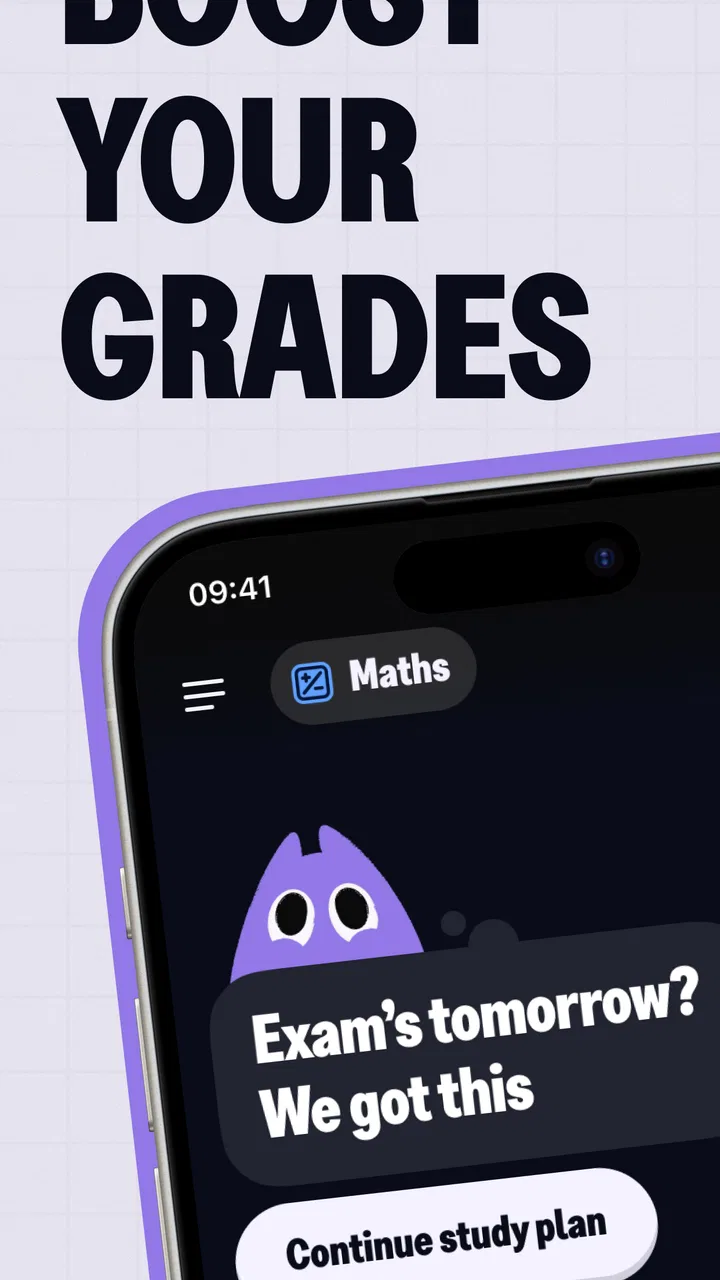
Knowunity: AI Study & Homework
- 4.8
- Rating
- 10.00M
- Installs
- Free
- Price

 Analysis by App-foxy
I approached Knowunity: AI Study & Homework as a study companion rather than a replacement for a teacher, textbook, or a proper revision plan. Developed by Knowunity, this free education app brings homework help, notes, and flashcards into one student-focused space. Its main appeal is convenience: when I am stuck on a question or need a quicker way to review a topic, I can look for an explanation and then turn that moment into revision material instead of simply moving on.
That convenience matters most on ordinary, slightly chaotic school days. Imagine finishing classes, opening your notebook, and finding three exercises you do not understand before dinner. I would use the app first to identify the method behind one problem, then check whether the explanation makes sense, and finally create flashcards for the terms or steps I kept forgetting. That workflow is more useful than treating an AI answer as something to copy.
The app is free to install and is rated for Everyone 10+, while optional in-app purchases range from around five dollars to around seventy-two dollars per item. It has reached over ten million installs and holds an average rating of 4.3 from around one hundred eight thousand ratings. Those figures suggest that it has become a familiar option for students, but popularity does not automatically make every explanation reliable or every screen comfortable to use.
You May Also Like

 Blood Strike: 2.5 Anniversary
Blood Strike’s Loadouts Turn Every Drop Into a Tactical Gamble
A close look at Blood Strike’s custom loadouts: how fast access to signature weapons reshapes its battle royale rhythm, rewards preparation, and narrows the gap between fights.

 Pandora - Music & Podcasts
Pandora’s Music Is Easy to Start, but Harder to Recover
Pandora’s strength is its low-effort path from a seed to a station. Its weak spot is how much confidence it asks you to place in connection, setup, and quiet recovery.

 8 Ball Pool
 Is Built on Rivalries, Rematches, and Routine
A close look at the rivalries, rematches, shared routines, and unanswered safety questions that turn a quick pool match into a persistent mobile community.

 Samsung Music
’s Quiet Strength Is Playing What You Already Own
Its reach comes less from spectacle than from dependable access to a personal library. That simplicity is both the app’s strongest retention engine and its ceiling.

 AccuWeather: Weather Radar
AccuWeather Review: A Quick, Clear Forecast for Everyday Decisions
For everyday plans, the best forecast is the one you can understand quickly. AccuWeather makes rain timing, radar, and local conditions easy to act on, with a few trade-offs.

 Hill Climb Racing
Why Hill Climb Racing Still Turns Crashes Into One More Run
A tiny car, a bumpy hill and one more upgrade: Hill Climb Racing keeps resurfacing because its simple chaos makes every near-miss feel personal.
More From Our News Desk



How Knowunity feels to use across different study situations
I find Knowunity most useful when a study session has a specific snag rather than a broad goal: one unfamiliar step, a term I keep mixing up, or a topic I need to revisit before class. In this section, I’ll look at how that focused use changes with the situation, and why choosing a small, clear task can make the app feel more manageable.
Readability and navigation: a useful hub, but not a complete learning system
The strongest part of the experience is the way several study tasks sit close together. Instead of switching between a search engine for homework, a notes app for summaries, and a separate flashcard tool, I can keep those activities connected inside one student-oriented environment. That reduces friction when my attention is already limited. The less time I spend deciding which tool to open, the more likely I am to begin studying.
I found this especially helpful when moving from understanding to memorising. A solved example can show the route through a problem, but it does not guarantee that I will remember the route tomorrow. Turning the important vocabulary, formulas, or stages into flashcards creates a second step. My practical advice is to avoid saving everything. I would keep only the explanation that changed my understanding and a few cards aimed at the mistakes I actually made.
The interface is likely to feel most approachable to students who are comfortable exploring feeds, search results, and short pieces of digital content. It is less ideal for someone who wants a quiet, linear textbook experience. A conventional workbook gives me a fixed sequence; Knowunity encourages discovery. That can be motivating when I need a starting point, but it can also lead me away from the exact assignment if I keep browsing related material.
Readability depends heavily on the quality of the material I open. A clear note with headings and short explanations is easier to scan than a dense page written in a rushed style. This is an important distinction: the app can make study resources easier to find, but it cannot guarantee that every student-created or AI-assisted explanation will be equally well organised. I would compare an unfamiliar answer with class notes, especially in subjects where one small definition changes the whole result.
For learners with dyslexia, attention difficulties, or a preference for reduced visual clutter, the practical test is whether the current page feels manageable rather than whether the app has a particular label. I would begin with one task, such as reviewing a single topic, and avoid opening several routes at once. Saving a small set of dependable notes can make later sessions calmer than repeatedly searching from scratch.
The app also works better when I treat search as a question-forming tool. Instead of entering a broad subject and scrolling indefinitely, I would search for the precise concept causing trouble: a grammar rule, a chemistry process, or the difference between two historical terms. Narrow questions make it easier to judge whether an explanation answers my problem. This is a small habit, but it improves navigation more than simply spending longer inside the app.
Motor and sensory considerations: flexible study moments with some practical caveats
A phone-based study app can be useful for people who cannot comfortably sit at a desk for long periods. I can review flashcards while standing, during a short break, or from a position that suits me better than a laptop. That flexibility may help students managing fatigue, temporary injuries, or a study environment where desk space is limited. It also means that revision does not have to wait for a perfectly arranged workspace.
At the same time, a small touchscreen is not automatically easy for everyone. Students with limited fine-motor control may find repeated tapping, scrolling, or typing tiring, particularly during a long homework session. I would recommend using a larger device when possible and preparing searches before a focused session, so the amount of precise input is reduced. The app is more comfortable for short, deliberate interactions than for endless navigation.
For students who are sensitive to visual overload, the best approach is to separate solving from collecting. I would first read one explanation, close unrelated material, and write a short summary in my own words. Only after that would I make flashcards. This prevents the useful feature of having many resources nearby from becoming a stream of competing prompts.
Audio, vision, and concentration needs can also vary from one situation to another. A student may see the screen clearly at home but struggle with glare outdoors, or may understand a written explanation but lose focus when the session becomes too long. Knowunity is most helpful when I adapt the surrounding conditions: increase text visibility through the device settings if needed, use a stable surface, and study in short blocks rather than assuming one format suits every learner.
One non-obvious strength is that the app can support different levels of independence. A confident student can use it to test a narrow question and build personal cards. Someone who needs more structure can use a saved note as a starting point before asking a teacher or classmate for clarification. The app does not remove the need for support, but it can make the first step less intimidating when asking for help feels difficult.
Situational access: where the app earns its place
Knowunity makes the most sense when time, location, or confidence is the main obstacle. If I have ten minutes before class, I can review a small flashcard set instead of opening a full chapter. If I am away from my usual desk, I can still revisit a concept. If I do not know how to phrase a question to a teacher, an initial explanation can give me the vocabulary needed to ask a better question later.
That last use is more valuable than it sounds. Students often say they “do not understand maths” or “are bad at science,” when the real issue is one missing step. I would use the app to locate that step, not to judge my entire ability. Once I can name the difficulty, I can return to class material with a more precise question. This turns the app into a bridge between confusion and meaningful help.
It can also support different study rhythms. A student who remembers through repetition may benefit from revisiting flashcards in brief sessions. Another student may prefer to read a longer note, rewrite it, and use cards only for definitions. I would not force every subject into the same method. Flashcards are excellent for recall, terminology, and sequences, but they are weaker for learning how to construct a full essay or explain a complex argument in context.
Compared with ordinary web searching, the app feels more focused on schoolwork and revision. A search engine offers enormous breadth but also brings advertisements, unrelated pages, and explanations written for very different audiences. Compared with a standard notes app, Knowunity connects discovery with study material instead of making me build the entire system myself. Compared with a printed textbook, it is quicker for targeted questions but less dependable as a carefully edited, complete course.
Compared with a dedicated flashcard app, its advantage is the path from finding material to reviewing it. A specialist flashcard tool may offer a more deliberate system for users who already know exactly how they want to organise decks and repetition. I would choose Knowunity when I need an all-in-one starting point, but I would consider a more specialised tool if long-term memory scheduling and highly detailed card management were my main priorities.
There is also a useful group-study scenario. If classmates are revising the same test, one person can use a note to clarify a topic while another turns the key ideas into questions. I would still check that shared material matches the teacher’s syllabus. The convenience of student-oriented content is not the same as a guarantee that it covers the exact wording, depth, or method expected in a particular classroom.
Remaining barriers: convenience does not remove the need for judgement
The biggest barrier is trust. An AI homework solver can produce an answer that looks confident while missing the point, using an unsuitable method, or presenting a result without enough reasoning. I would never submit the first response unchanged. My routine would be to ask, “What rule is being used here?”, work through a similar example independently, and compare the result with my textbook or teacher’s method.
This matters especially in subjects where explanations depend on local classroom conventions. A teacher may expect a particular notation, structure, or level of detail. An answer that is broadly correct may still be poor preparation for an assessment if it teaches the wrong format. Knowunity is better at helping me get unstuck than at deciding exactly what my school will reward.
Another barrier is the temptation to confuse speed with learning. If I ask for help every time a question becomes uncomfortable, I may finish the worksheet without developing the skill. I get more value by attempting the problem first, marking the precise step where I stopped, and using the app only for that gap. That approach takes slightly longer at the beginning but gives the explanation something to connect to.
Students also need to consider the cost boundary. The app itself is free, but optional purchases are available, with individual items ranging from around five dollars to around seventy-two dollars. I would check what an optional purchase changes before committing, and I would not assume that paying is necessary for every student. Someone who only needs occasional explanations and basic revision may find the free experience sufficient, while a frequent user should decide whether any paid benefit genuinely improves their routine.
The current version is 6.10.3 and supports devices running Android 8.0 or later. That makes checking device compatibility worthwhile before planning to rely on it for an important revision period. Students using older hardware, limited storage, or unstable connectivity should also keep a backup method, such as downloaded class notes or a paper summary. A study plan is more resilient when one app is not the only place where essential material exists.
Privacy and classroom expectations deserve ordinary caution too. I would avoid entering personal details, private school records, or another student’s information into a homework tool. I would also follow my teacher’s rules about AI assistance. Using an explanation to learn is different from presenting generated work as my own, and the distinction affects both academic honesty and whether I actually understand the subject.
Who will benefit, and who should choose something else?
I would recommend Knowunity to students who want a quick way to move between homework help, notes, and flashcards. It suits independent learners who can question an answer, compare sources, and decide what deserves to become a revision card. It is particularly practical for short study windows, last-minute clarification before a lesson, and building a personal collection of explanations over time.
I would be more cautious about recommending it as the primary tool for a student who needs a strict, distraction-free sequence. A printed course, teacher-led platform, or carefully structured textbook may be better when the goal is to cover a syllabus from beginning to end. I would also look elsewhere if advanced flashcard scheduling, deep accessibility customisation, or guaranteed subject-specific tutoring were the deciding requirements. The app can support those needs indirectly, but it should not be mistaken for a specialist solution in every area.
For younger users within the age rating, adult guidance around homework habits may be useful. The most productive pattern is not “ask the app for every answer,” but “attempt, investigate, explain back, and review.” I would encourage students to write their own summary after using a solution. If they cannot explain the method without looking at the screen, the task is not finished yet.
My most effective workflow would be simple: start with the exact question, inspect the reasoning rather than only the result, verify anything important, and create a small number of flashcards from the mistakes or ideas I want to retain. I would then return to those cards later without reopening the original answer. This separates immediate rescue from long-term learning and prevents the app from becoming a permanent crutch.
Inclusive verdict: helpful when used as a bridge, not as an authority
After using it as a combined homework and revision companion, I see Knowunity as a flexible option for students whose needs change from day to day. Its phone-friendly format can make study more reachable in short sessions, and its mix of explanations, notes, and flashcards gives different learners more than one way into a topic. The experience is most inclusive when I control the pace, reduce distractions, and adapt the device and environment to my own comfort.
Its limits are equally important. Readability varies with the material, touchscreen study can be tiring, and AI-generated help requires active checking. Students who need a fully structured curriculum, rigorous subject authority, or highly specialised accessibility tools may be better served by another resource. Even then, the app can still have a supporting role for a narrow question or a quick review.
Knowunity is a free app from Knowunity, released on September 10, 2020, and its broad adoption shows why the concept appeals to students. I would recommend trying it without handing over responsibility for the learning process. Use it to turn confusion into a clearer question, then do the thinking yourself. That balance is where the app is genuinely useful: not as an answer machine, but as an accessible first step toward understanding.
FAQs for Knowunity: AI Study & Homework
01What is Knowunity: AI Study & Homework, and how can it help me?
Knowunity: AI Study & Homework is an educational app designed to assist students with their study and homework needs. It leverages AI technology to provide personalized study plans, homework assistance, and a wide range of learning resources. By using Knowunity, students can enhance their understanding of various subjects and improve their academic performance efficiently.
02Is Knowunity: AI Study & Homework suitable for all educational levels?
Yes, Knowunity: AI Study & Homework is designed to cater to students across various educational levels, from middle school to university. The app offers customized content and study plans that adapt to the specific needs and curriculum requirements of different age groups, ensuring relevant and effective learning support.
03How does the AI feature in Knowunity work to improve my study habits?
The AI feature in Knowunity analyzes your study habits and academic performance to create personalized study plans. It identifies areas where you need improvement and suggests resources and exercises to strengthen those skills. By continuously monitoring your progress, the AI helps optimize your study time and improve your overall learning efficiency.
04Are there any subscription fees or in-app purchases in Knowunity: AI Study & Homework?
Knowunity offers a range of features for free, but there are premium options available through subscription. These premium features may include advanced AI capabilities, access to exclusive content, and additional resources. Users can choose to upgrade to enhance their learning experience, but the free version provides substantial support for most students.
05Can I use Knowunity: AI Study & Homework offline, or is an internet connection required?
To access most features of Knowunity, an internet connection is required, as the app relies on real-time data and AI processing. However, some resources and downloaded content may be available offline for studying without an internet connection. It is recommended to have internet access for the full functionality and latest updates of the app.
Pros
- AI-powered assistance for quick answers.
- Wide range of subjects covered.
- User-friendly interface for easy navigation.
- Personalized study plans available.
- Offline access for uninterrupted learning.
Cons
- Limited support for complex queries.
- Occasional ads can interrupt usage.
- Requires a stable internet connection.
- Some features locked behind paywall.
- AI accuracy may vary with topics.

Knowunity: AI Study & Homework
Gallery